
FAX FREE™: Send FAX From Phone
MobifarmBusiness
4.2858.00 Reviews
- Version
- 1.1.25
- Installs
- 100.00K
- Age Rating
- Everyone
Screenshots
Our Review of FAX FREE™: Send FAX From Phone
 Analysis by Appyee
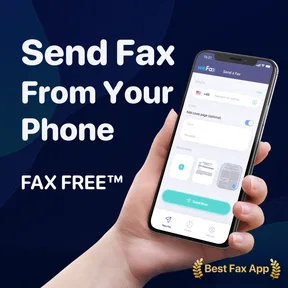
Have you ever found yourself in a pinch, needing to send a fax but miles away from a fax machine? I know I have. That's where FAX FREE™: Send FAX From Phone comes into play, and let me tell you, it's a lifesaver. This app turns your smartphone into a portable fax machine, and I’ve been putting it to the test to see how well it performs.
Getting Started with FAX FREE™
Jumping into FAX FREE™: Send FAX From Phone is surprisingly straightforward. The app is available on both Android and iOS, so no matter your device, you’re covered. Installation was a breeze—just a quick download from the app store, and I was ready to go.
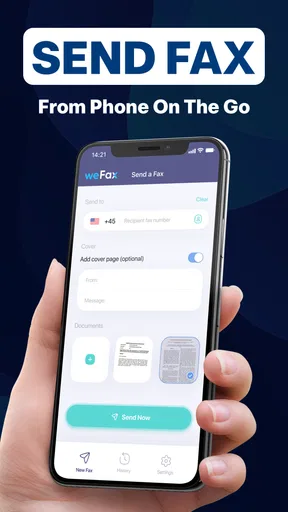
Once I opened the app, I was greeted with a clean and intuitive interface. Everything is where you'd expect it to be, which is a huge plus if you’re in a hurry. The main screen presents you with options to send a fax, view sent faxes, and access app settings. It’s simplicity at its best, which is exactly what you need when you just want to get the job done.
Sending a Fax: The Nitty-Gritty
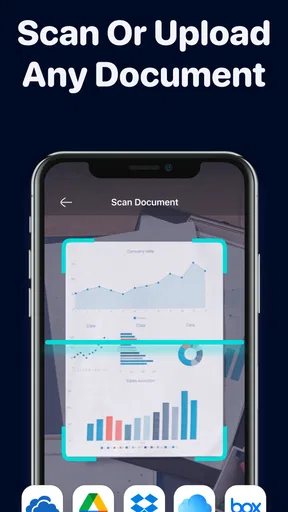
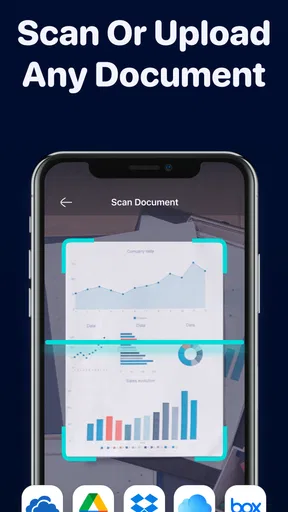
Now, onto the main event—sending a fax. The process is refreshingly easy. You can either take a photo of the document you want to send or upload it directly from your phone. I tried both methods, and they worked like a charm. The app quickly recognized the document, allowing me to adjust the edges for a perfect scan.
Once your document is ready, you simply enter the recipient's fax number, add a cover page if needed, and hit send. The app supports a wide range of file formats including PDF, DOC, JPG, and PNG. Plus, it offers international faxing, which is a fantastic feature if you have global clients or contacts.
Performance and Reliability
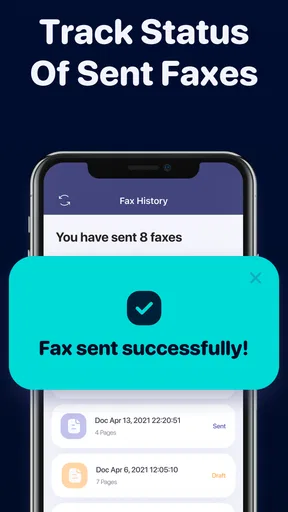
One of my biggest concerns with fax apps is reliability. Nobody wants to be left hanging with a failed fax delivery. Thankfully, FAX FREE™ performs admirably in this department. Each fax I sent went through without a hitch, and I received confirmation notifications for peace of mind.
The app also keeps a handy record of all sent faxes in its history tab, so you can easily refer back to previous documents if needed. It’s a small feature, but incredibly useful for staying organized.
Additional Features Worth Mentioning
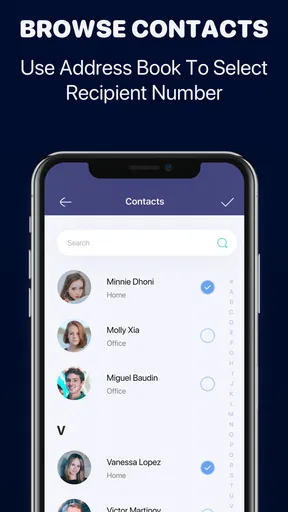
Aside from its core functionalities, the app offers a few extra bells and whistles. There’s a handy integrated address book for frequent contacts, saving you time on re-entering numbers. You can also customize your cover pages, adding a professional touch to your faxes.
For those concerned about security, the app promises encrypted transmissions to protect your sensitive information. It’s always good to know your data is safe, especially when dealing with confidential documents.
Final Thoughts
All in all, FAX FREE™: Send FAX From Phone is a fantastic tool for anyone needing to send faxes on the fly. Its ease of use, reliability, and handy features make it a standout choice in the sea of fax apps. Whether you’re a busy professional or someone who occasionally needs to send a fax, this app has got you covered.
So, the next time you find yourself needing to fax something and there’s no machine in sight, remember this app. It’s like having a fax machine in your pocket, and that’s a convenience you can’t beat.
Verdict
Strengths of FAX FREE™: Send FAX From Phone
- Easy-to-use interface for quick fax sending.
- No need for a physical fax machine.
- Supports multiple file formats for faxing.
- Allows sending faxes to international numbers.
- Includes tracking for sent faxes.
Limitations of FAX FREE™: Send FAX From Phone
- Limited free credits for faxing.
- Requires in-app purchases for more features.
- Occasional delays in fax delivery.
- Ads can be intrusive in the free version.
- No offline mode for sending faxes.
Similar Picks in This Category
View All
LinkedIn: Community & Network
LinkedIn3.8

Zoom Workplace
zoom.com4.1

Microsoft Teams
Microsoft Corporation4.6

Meta Business Suite
Meta Platforms, Inc.4.6

Webex Meetings
Cisco Systems, Inc.4.5

TeamViewer Remote Control
TeamViewer4.4
Frequently Asked Questions
What features does FAX FREE™ offer for sending faxes?
FAX FREE™ allows users to send faxes directly from their smartphones without the need for a physical fax machine. Key features include the ability to send documents as PDFs, import files from cloud services, and edit documents with annotations. It also supports scanning documents using your phone's camera, ensuring convenience and efficiency.
Is FAX FREE™ secure for sending sensitive documents?
Yes, FAX FREE™ employs secure transmission protocols to ensure that your documents are sent safely. The app uses encryption to protect your data during transmission, making it a reliable choice for sending sensitive information. However, it's always recommended to read the app's privacy policy for detailed security practices.
Are there any costs associated with using FAX FREE™?
FAX FREE™ offers a free tier for sending a limited number of faxes. For users requiring more frequent faxing, the app provides subscription plans that offer more features and higher fax limits. It's important to review the pricing details within the app to understand what services are included in the free and paid versions.
What file formats does FAX FREE™ support for sending faxes?
FAX FREE™ supports a variety of file formats to ensure versatile usage. Users can send documents in PDF, DOC, and JPG formats, among others. This flexibility allows users to easily convert and fax a wide range of documents directly from their mobile devices.
How user-friendly is FAX FREE™ for beginners?
FAX FREE™ is designed with a user-friendly interface that caters to both beginners and experienced users. The intuitive design includes easy navigation, clear instructions, and a straightforward process for sending faxes. The app also offers customer support and tutorials to help new users get started without hassle.
